
MyArkevia is based on a digital vault architecture that complies with long-term retention requirements for HR documents. Before even discussing connection, it is important to understand that myarkevia.com is the portal reserved for employees, while arkevia.com (without the “my” prefix) is aimed at employers and HR services.
Confusing the two URLs is akin to entering your credentials in a domain that is not yours, with the risk of being blocked or, worse, exposed to a phishing site mimicking the official interface.
Enhanced Authentication on MyArkevia: MFA and Security Best Practices
The trend for HR vaults in 2026 pushes towards the systematic activation of multi-factor authentication (MFA). On MyArkevia, we recommend pairing the classic password with a TOTP authentication app rather than a simple SMS code, which is more vulnerable to interception attacks (SIM swapping).
The password itself deserves special attention. A dedicated password manager remains the most reliable way to store a complex identifier without writing it down in plain text. A unique password per service prevents the domino effect in case of a leak on another platform.
To log in to the My Arkevia application from a shared workstation (company computer, self-service kiosk), we recommend always using private browsing and checking for effective logout after consultation.
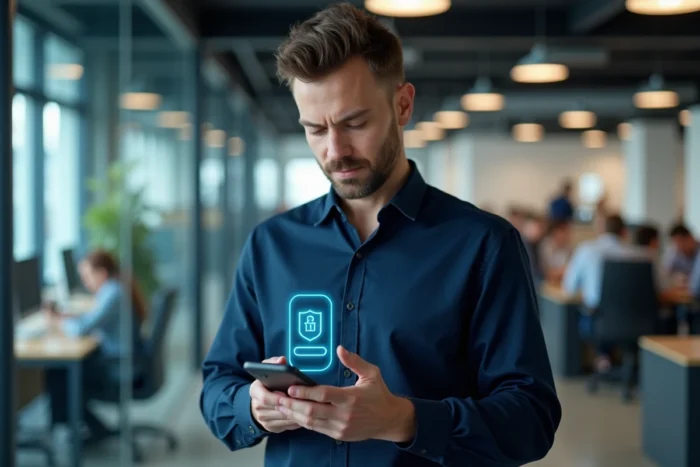
MyArkevia Mobile Application: What the Web Portal Does Not Cover
Several guides limit themselves to logging in via a browser. The official MyArkevia mobile application, available on Android and iOS, offers permanent encrypted access to the employee vault without going through the web portal. This distinction has direct practical consequences.
The mobile application allows for consultation outside of a professional context, for example during a banking process requiring a recent payslip. Downloading in PDF remains possible, but the document viewed directly in the application retains its evidential value without file manipulation.
Check the Publisher Before Installation
On the stores, several third-party applications take the name “Arkevia” in their title. We recommend systematically checking that the displayed publisher corresponds to the Cegedim group before any installation. An unofficial application that requests your MyArkevia credentials constitutes a data theft vector.
- Check the publisher’s name on the store page (Google Play or App Store) before downloading
- Refuse excessive permissions (access to contacts, microphone) that have no relation to consulting HR documents
- Enable automatic updates to benefit from security patches without delay
First Employee Login: Account Activation and Common Pitfalls
Activating a MyArkevia account requires an employee ID and a secret code provided by the employer’s HR service. This code is not a permanent password: it is only used to validate the employee’s identity during the first access. The activation code expires after a period set by the employer, which generates a significant portion of the blocks reported to support.
If the deadline is exceeded, the only option is to request a new code from the HR service. No self-service reset mechanism allows bypassing this step, unlike the forgotten password procedure available after activation.
Provisioning Agreement and Terms of Use
During the first login, acceptance of the provisioning agreement and the general terms of use is mandatory. This document governs the retention period of dematerialized payslips (several decades) and specifies the respective responsibilities of the employer and the service provider. Skipping this step without reading exposes one to misunderstandings about the portability of documents in case of a change of employer.

Securing Personal Data Beyond Login
Security does not stop at the login screen. Downloading a local copy of each payslip in PDF is an essential backup. A digital vault, no matter how reliable, remains a third-party service. Having a copy on an encrypted medium (external drive, password-protected archive) protects against a change of provider decided by the employer or a prolonged service interruption.
- Store PDFs on an encrypted medium separate from the daily workstation
- Regularly check that the email address associated with the MyArkevia account is still valid, as it is the only password reset channel
- Never transmit a payslip via unencrypted messaging (regular email, SMS) during an administrative process
- Periodically check the login history if the platform offers it, to detect unauthorized access
The portability of the vault remains active after leaving the company. The employee retains access to their documents even without a contractual link with the former employer, provided that the personal email address is correctly filled in the profile. We observe that this point is often overlooked at the time of hiring, while it conditions future access to several years of archived payslips.
The protection of data stored in MyArkevia relies as much on the user’s habits as on the technical infrastructure of the vault. Checking the URL before each connection, maintaining a unique and robust password, and keeping encrypted local backups: these three reflexes cover the majority of the concrete risks to which an employee is exposed daily.